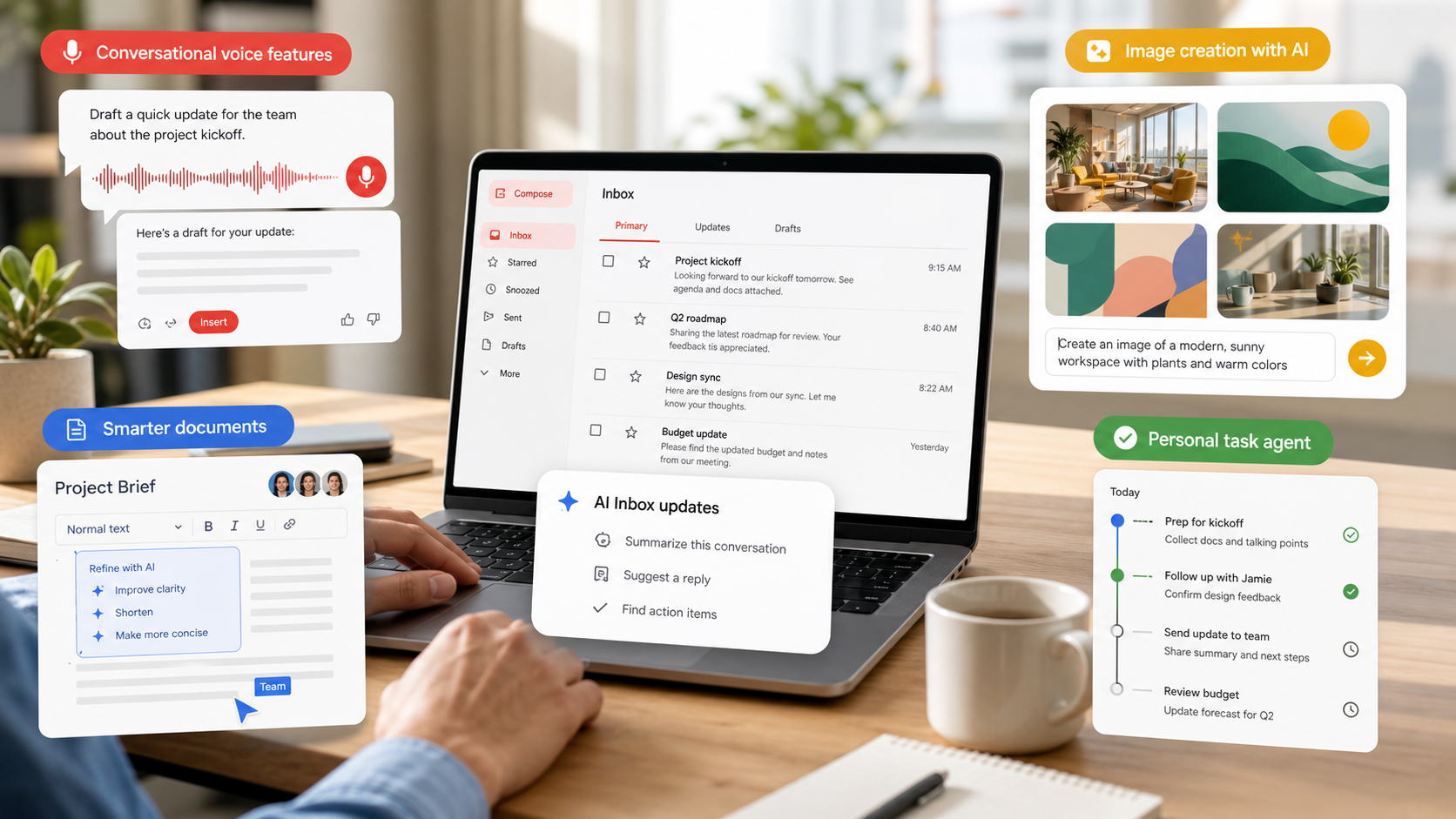
Google detailed Gemini updates for Docs, Sheets, Slides, and Drive, including drafting from relevant files, spreadsheet generation, and Drive answers that synthesize information.
TechStaged reviewed the source material and built this article as original analysis for operators deciding whether the update belongs in their 2026 roadmap.
WHY IT MATTERS
For teams, the value is faster first drafts and analysis grounded in existing documents, emails, and files rather than disconnected prompts.
For buyers, the evaluation should move beyond feature availability. The more important question is whether the update improves a real workflow without creating hidden administration, review, security, or support costs.
TEAM CHECKLIST
Before scaling the update, turn the announcement into an implementation checklist with clear owners.
- Choose one workflow where the feature can be tested with realistic data and user permissions.
- Define the success metric before rollout, such as conversion lift, cycle time, ticket resolution, code review speed, billing accuracy, or creative output volume.
- Review admin controls, audit logs, integration limits, pricing model, support paths, and failure handling.
- Document who can approve automated actions and who can pause the workflow if quality drops.
- Compare the new capability with existing tools so the team does not add another platform without retiring manual work.
RISKS AND TRADEOFFS
The risk is source ambiguity. If employees cannot see which files shaped an answer, they may trust outdated or inappropriate context.
The best adoption pattern is usually a narrow pilot with clear review points. Broad enablement can come later when the team knows how the feature behaves under real workload pressure.
BOTTOM LINE
Test Gemini Workspace features on repeatable internal workflows, then build review habits around citations, source selection, and final human approval.