Your team wants tasks, docs, goals, dashboards, and time tracking in one place.
You need many project views and granular configuration.
You are comfortable standardizing setup rules before rollout.
monday.com
Best for clarity
Choose monday.com if...
Your team needs a visual board system that nontechnical stakeholders adopt quickly.
You manage repeatable processes across departments.
Dashboards and template-driven workflows matter more than maximum configurability.
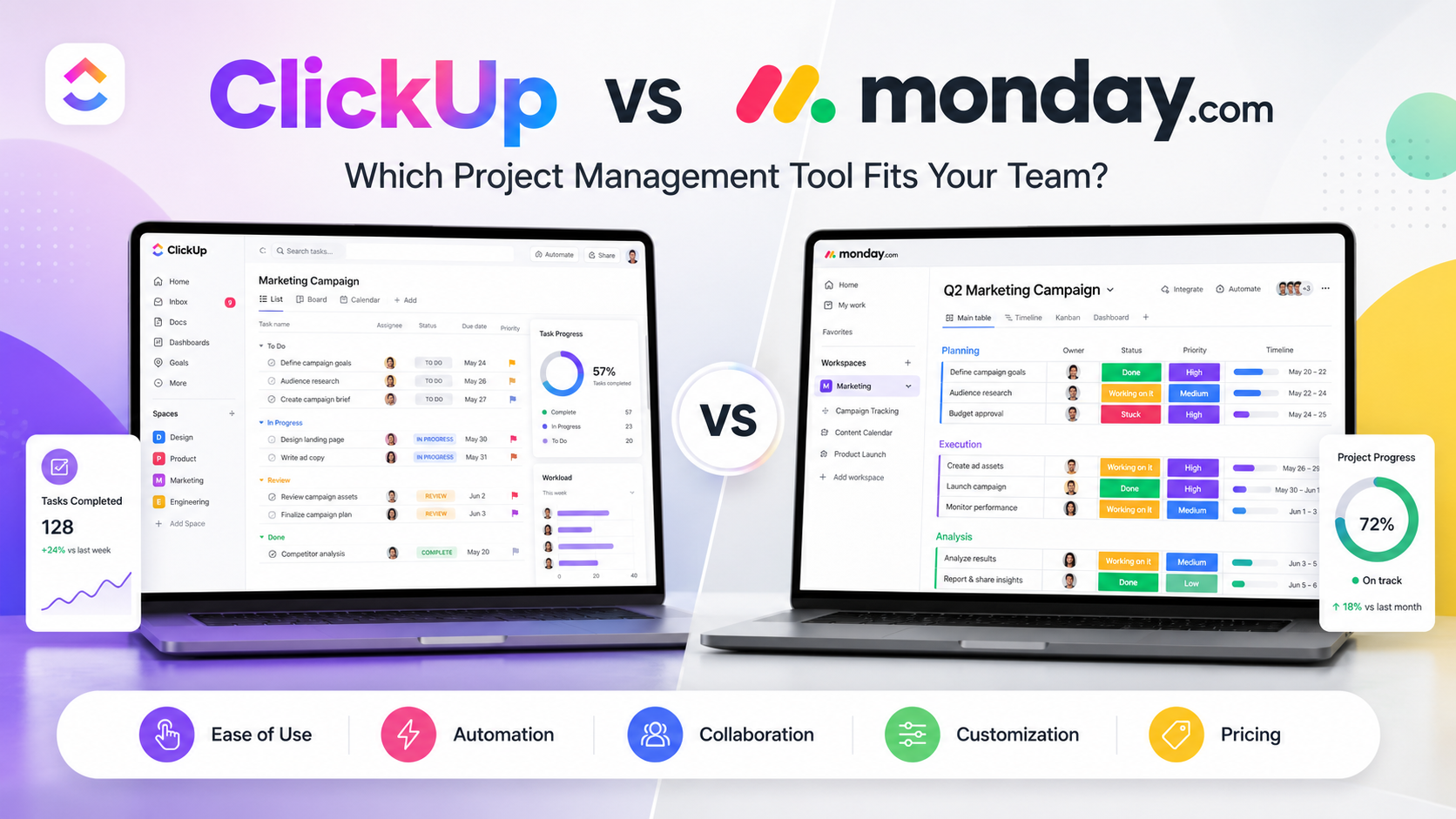
ClickUp is better for power users and teams that want many project views, docs, dashboards, goals, time tracking, and granular work structures in one system. monday.com is better for teams that want a cleaner board-first interface, faster stakeholder adoption, and visual workflow tracking.
Quick verdict: ClickUp is the stronger value for feature-heavy teams. monday.com is the better fit when a broad team needs a clean, visual system quickly.
ClickUp vs monday.com at a Glance
ClickUp
monday.com
Best for
Power users and teams that want many work views
Best for
Teams that value visual boards and quick adoption
Starting cost
Free Forever; Unlimited from $7/user/month billed yearly.
Ease of use
Powerful but dense
Starting cost
Free plan for up to 2 seats; Basic from $9/seat/month billed yearly.
Ease of use
Cleaner board-first interface
Customization
Native Docs
Ownership
Managed platform ownership
Customization
monday workdocs
Ownership
Self-hosted ownership and control
Support
Usage limits by plan
Main strength
Broad feature depth across tasks, docs, goals, dashboards, chat, and automation
Support
Automations on paid plans with plan limits
Main strength
Clear board-based workflows, templates, dashboards, and approachable interface
Main limitation
Can feel dense during setup and governance
Main limitation
Some advanced workflow needs require higher tiers or add-ons
Many views including list, board, calendar, Gantt, workload, table, whiteboard
Strong boards, dashboards, timelines, calendars, and templates
ClickUp for depth
Documents
Native Docs
monday workdocs
Tie
Automations
Usage limits by plan
Automations on paid plans with plan limits
Depends on plan
Dashboards
Advanced dashboards on higher plans
Highly visual dashboards
monday.com for simplicity
Overall recommendation
Choose for depth
Choose for adoption
Tie by use case
Advertisement
Choose ClickUp or monday.com If
Choose ClickUp if:
Your team wants tasks, docs, goals, dashboards, and time tracking in one place.
You need many project views and granular configuration.
You are comfortable standardizing setup rules before rollout.
Choose monday.com if:
Your team needs a visual board system that nontechnical stakeholders adopt quickly.
You manage repeatable processes across departments.
Dashboards and template-driven workflows matter more than maximum configurability.
ClickUp vs monday.com: The Main Differences
ClickUp prioritizes breadth and configurability; monday.com prioritizes visual workflow clarity.
ClickUp has a more generous free plan for larger groups; monday.com free is limited to small use.
monday.com boards are easier for many stakeholders to scan quickly.
ClickUp often offers more advanced work features at a lower entry paid tier.
Both can support operations, marketing, product, and project teams, but they reward different rollout styles.
Detailed Category-by-Category Report
01
Tasks, Views, and Project Structure
ClickUp gives teams a deep hierarchy of workspaces, spaces, folders, lists, tasks, subtasks, custom fields, dependencies, and many views. That depth is valuable for agencies, software teams, and operations groups with complex workflows. monday.com is less overwhelming: boards, items, columns, groups, views, and dashboards keep work visual and easier to explain.
ClickUp
ClickUp gives teams a deep hierarchy of workspaces, spaces, folders, lists, tasks, subtasks, custom fields, dependencies, and many views.
monday.com
monday.com is less overwhelming: boards, items, columns, groups, views, and dashboards keep work visual and easier to explain.
Key differenceWinner for advanced structure: ClickUp; winner for immediate clarity: monday.com.
02
Collaboration and Documents
Both products support comments, assignments, mentions, notifications, files, and collaborative docs. ClickUp Docs feel closely tied to tasks and knowledge bases. monday workdocs are useful for team planning and can connect to boards. ClickUp has the edge when docs are part of a larger all-in-one workspace.
ClickUp
ClickUp Docs feel closely tied to tasks and knowledge bases. ClickUp has the edge when docs are part of a larger all-in-one workspace.
monday.com
A visual work-management platform built around boards, automations, templates, dashboards, and team workflows.
Key differenceWinner for integrated docs: ClickUp.
03
Dashboards and Reporting
ClickUp dashboards can become powerful when custom fields and tasks are configured consistently. monday.com dashboards are easier for managers to assemble and understand visually. If the audience includes executives or nontechnical partners, monday.com often produces cleaner reporting faster.
ClickUp
ClickUp dashboards can become powerful when custom fields and tasks are configured consistently.
monday.com
monday.com dashboards are easier for managers to assemble and understand visually. If the audience includes executives or nontechnical partners, monday.com often produces cleaner reporting faster.
Key differenceWinner for approachable dashboards: monday.com.
04
Automations
Both platforms automate routine updates, notifications, assignments, status changes, and integrations. ClickUp exposes broad workflow automation for teams that want a flexible system. monday.com automations are approachable and pair well with its board model. The best choice depends on whether the team values power or simplicity.
ClickUp
ClickUp exposes broad workflow automation for teams that want a flexible system.
monday.com
monday.com automations are approachable and pair well with its board model.
Key differenceBest choice depends on workflow complexity.
05
Time Tracking, Workload, and Resource Planning
ClickUp has native time tracking and richer workload tools in paid tiers. monday.com can support workload and timelines, but teams often need to check plan availability carefully. For service teams tracking effort by project, ClickUp is usually the more direct fit.
ClickUp
ClickUp has native time tracking and richer workload tools in paid tiers. For service teams tracking effort by project, ClickUp is usually the more direct fit.
monday.com
monday.com can support workload and timelines, but teams often need to check plan availability carefully.
Key differenceWinner for built-in work tracking depth: ClickUp.
06
Pricing and Packaging
ClickUp lists a Free Forever plan and paid plans from $7 per user per month when billed yearly. monday.com lists a free plan for up to two seats and Basic from $9 per seat per month billed yearly. Actual totals depend on seats, billing frequency, AI credits or add-ons, automation volume, and plan limits.
ClickUp
ClickUp lists a Free Forever plan and paid plans from $7 per user per month when billed yearly.
monday.com
monday.com lists a free plan for up to two seats and Basic from $9 per seat per month billed yearly.
Key differenceWinner for entry paid value: ClickUp.
07
Rollout and Governance
ClickUp needs intentional workspace governance because teams can create too many statuses, custom fields, and views. monday.com is easier to govern for simpler processes because the board metaphor is consistent. Large organizations should define naming, permissions, templates, and dashboard ownership for either tool.
ClickUp
ClickUp needs intentional workspace governance because teams can create too many statuses, custom fields, and views.
monday.com
monday.com is easier to govern for simpler processes because the board metaphor is consistent.
Key differenceWinner for easier rollout: monday.com.
Advertisement
Full Feature Comparison Table
ClickUp vs monday.com full feature comparison
Feature or criterion
ClickUp
monday.com
Winner
Free plan
Free Forever with unlimited members
Free for up to 2 seats
ClickUp
Entry paid price
$7/user/month billed yearly
$9/seat/month billed yearly
ClickUp
Task hierarchy
Deep hierarchy and custom fields
Boards, groups, items, subitems
ClickUp for depth
Board view
Available
Core experience
monday.com
Gantt/timeline
Available by plan
Available by plan
Tie
Docs
Native Docs
workdocs
Tie
Dashboards
Advanced on paid tiers
Highly visual dashboards
monday.com
Time tracking
Native on paid tiers
Plan-dependent
ClickUp
Workload
Plan-limited workload features
Available in higher workflows
Depends on plan
Automations
Plan usage limits
Plan usage limits
Tie
Templates
Many workspace templates
Large template gallery
monday.com for business users
Permissions
Advanced permissions by plan
Permissions by plan
Tie
Guests
Guest rules vary by plan
Viewer/guest model varies by plan
Depends on team
Mobile apps
iOS and Android
iOS and Android
Tie
AI
ClickUp Brain add-on and AI features
monday AI credits and AI features by plan
Depends on cost model
Best for agencies
Strong with detailed work tracking
Strong with client-facing boards
Tie
Best for operations
Strong but needs governance
Very strong visual workflows
monday.com
Best for agile teams
Strong sprint and reporting tools
Useful but less developer-focused
ClickUp
Learning curve
Higher
Lower
monday.com
Customization
Very high
High but more structured
ClickUp
Pricing Comparison
Pricing checked:
Pricing checked on 2026-08-01. ClickUp lists Free Forever, Unlimited at $7/user/month billed yearly, Business at $12/user/month billed yearly, and Enterprise custom pricing. monday.com lists a free plan up to 2 seats and Basic from $9/seat/month billed yearly. Taxes, billing country, billing frequency, AI credits, add-ons, and seat count can change totals.
ClickUp
monday.com
Platform or software
Free Forever; Unlimited from $7/user/month billed yearly.
Platform or software
Free plan for up to 2 seats; Basic from $9/seat/month billed yearly.
Optional costs
Can feel dense during setup and governance
Optional costs
Some advanced workflow needs require higher tiers or add-ons
First-year planning note
Teams willing to configure a flexible operating system
First-year planning note
Operations, marketing, sales, and cross-functional teams needing visibility
ClickUp usually has the lower entry paid price.
monday.com pricing depends heavily on seat count and selected product plan.
Both vendors offer annual discounts compared with monthly billing.
AI features and credits should be budgeted separately where applicable.
Automation and dashboard limits may push teams to higher tiers.
Pros and Cons
ClickUp
Pros
Very broad feature set for the price.
Strong native docs, time tracking, views, and project hierarchy.
Generous free plan for early collaboration.
Cons
Workspace setup can become messy without governance.
Some users may find the interface dense.
Advanced AI or enterprise needs can add cost.
monday.com
Pros
Clean visual board experience.
Strong templates and dashboards for business teams.
Often easier for stakeholders to adopt.
Cons
Free plan is limited to very small teams.
Some advanced needs require higher tiers.
Less flexible than ClickUp for highly detailed work systems.
Use-case recommendations
Find the right fit for your team
Different teams have different priorities. Here's how ClickUp and monday.com compare for common use cases.
small teams on a budget
ClickUp
Recommended
ClickUp, especially if the team can use the Free Forever plan or low entry paid tier.
Why: Best when the team can use the Free Forever plan or low entry paid tier.
cross-functional operations
monday.com
Recommended
monday.com, because visual boards and templates are easier to standardize.
Why: Visual boards and templates are easier to standardize.
agencies
ClickUp
Recommended
ClickUp for detailed production tracking; monday.com for client-friendly dashboards.
Also consider: monday.com for client-friendly dashboards.
executives
monday.com
Recommended
monday.com, because dashboards and boards are easier to scan.
Why: Dashboards and boards are easier to scan.
Bottom line: ClickUp is the stronger value for feature-heavy teams. monday.com is the better fit when a broad team needs a clean, visual system quickly.
Migration and Switching
Moving from monday.com to ClickUp
Migration usually involves exporting tasks, boards, assignees, statuses, dates, comments, custom fields, attachments, and automations.
Moving from ClickUp to monday.com
The hardest work is not the export; it is mapping each tool's structure to the other without losing reporting logic.
Main risks and checklist
Export products, customers, orders, content, and redirects before rebuilding workflows.
Identify theme, checkout, form, automation, and reporting behavior that may require manual recreation.
Test URL redirects and analytics before switching live traffic.
Alternatives to Consider
Asana
Notion
Trello
Wrike
Frequently Asked Questions
ClickUp is better for teams that want more configuration, views, docs, and work-tracking depth. monday.com is better for teams that value a simpler visual board experience and faster adoption.
ClickUp usually has the lower entry paid price and a more generous free plan. The final cost for either product depends on seats, billing frequency, plan limits, AI features, and add-ons.
Yes. ClickUp offers a Free Forever plan with unlimited tasks and members, though storage and advanced feature usage are limited.
Yes. monday.com offers a free plan that is designed for very small teams, with the official pricing page listing up to two seats at the time checked.
ClickUp is strong for agencies that need detailed production tracking, time tracking, and many views. monday.com is strong when client-facing dashboards and simple project boards matter most.
monday.com generally has the easier learning curve because the board model is visual and consistent. ClickUp is more powerful but asks teams to make more setup decisions.
Editorial Methodology and Sources
We compared official pricing pages, help documentation, project structure, view types, collaboration, automations, dashboards, workload planning, permissions, mobile access, AI packaging, and rollout complexity.